
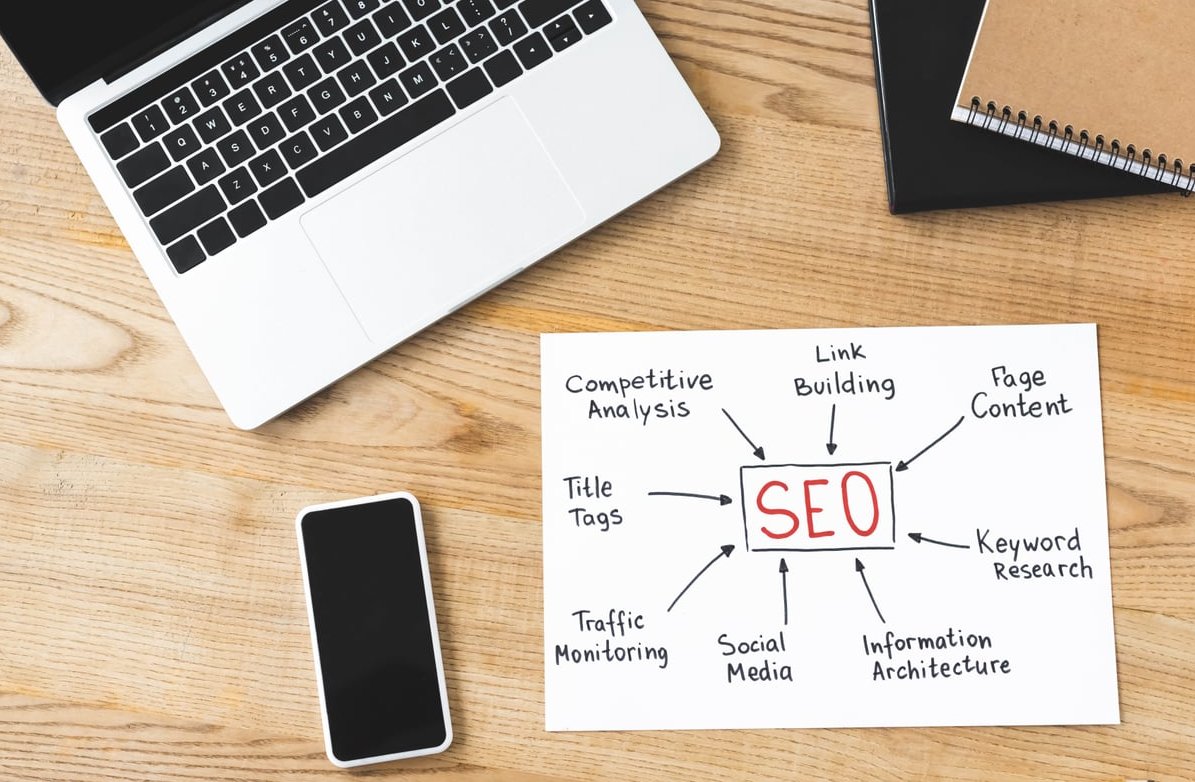
If you run a small business website, chances are you’re losing traffic, leads, and sales to common SEO mistakes that are surprisingly easy to fix. The good news? You don’t need to hire an expensive agency to clean up most of them. At Itimap, we audit dozens of small business sites every month, and the same issues show up again and again.
This guide walks you through the 10 SEO mistakes we see most often, plus practical, hands-on fixes you can implement today (even if you’re not technical).
Why Small Businesses Keep Making the Same SEO Mistakes
Small business owners wear many hats. SEO is rarely the priority until traffic drops or competitors start outranking you. Most issues we find aren’t caused by bad intent, they come from outdated advice, plugin defaults nobody changed, or content written for the business instead of the customer.
Here’s the full list, ranked by how much damage they typically cause.
1. Blocking Google From Crawling or Indexing Your Site
This is the most painful mistake because it makes everything else pointless. We regularly find sites with a stray noindex tag or a robots.txt blocking key pages, often left over from when the site was being built.
How to fix it
- Go to Google Search Console and check the Pages report for “Excluded by noindex tag” or “Blocked by robots.txt”.
- In WordPress, go to Settings > Reading and make sure “Discourage search engines from indexing this site” is unchecked.
- Visit
yourdomain.com/robots.txtand confirm important pages are not disallowed.
2. Targeting Keywords Nobody Is Searching For
Many small business pages are optimized for industry jargon or branded terms that customers never type into Google. You can rank #1 and still get zero traffic.
How to fix it
- Use free tools like Google Keyword Planner, Google Trends, or the autocomplete suggestions in Google search.
- Focus on long-tail keywords with clear buyer intent (example: “emergency plumber Brooklyn” instead of “plumbing services”).
- Check what your top 3 competitors actually rank for, then pick gaps you can fill.
3. Weak or Duplicate Title Tags and Meta Descriptions
Your title tag is the single most important on-page SEO element. Yet we constantly see homepages titled “Home” or product pages with identical meta descriptions across the entire site.
| Bad Example | Better Example |
|---|---|
| Home | Smith & Co | Affordable Roofing in Austin, TX | Free Quote | Smith & Co |
| Welcome to our website. | Licensed Austin roofers since 2008. Get a free same-day quote on repairs and replacements. |
How to fix it
- Keep titles between 50 and 60 characters and include your primary keyword near the start.
- Write meta descriptions of 140 to 155 characters with a clear value proposition.
- Use a plugin like Yoast SEO or Rank Math to spot duplicates across your site.
4. Slow Page Speed (Especially on Mobile)
Speed has been a confirmed ranking factor for years, and with Google’s mobile-first indexing, a slow phone experience kills your rankings.
How to fix it
- Run your site through PageSpeed Insights and aim for green Core Web Vitals.
- Compress images using free tools like TinyPNG or Squoosh before uploading.
- Install a caching plugin (WP Rocket, LiteSpeed Cache, or W3 Total Cache).
- Switch to a modern, lightweight theme if you’re still on a bloated one.
- Use a CDN like Cloudflare (the free plan is enough for most small sites).
5. Ignoring Image SEO
Images are often the biggest performance and accessibility offender. Missing alt text, oversized files, and meaningless filenames like IMG_4521.jpg are everywhere.
How to fix it
- Rename files before uploading:
blue-leather-handbag.jpgbeatsDSC0098.jpg. - Add descriptive alt text to every meaningful image.
- Use modern formats like WebP or AVIF.
- Set explicit width and height attributes to prevent layout shift.
6. Thin or Duplicate Content Across Pages
Service businesses often copy the same paragraph across location pages, just swapping the city name. Google sees this as low-value content.
How to fix it
- Write at least 600 to 1,000 unique words per service or location page.
- Add genuinely local elements: photos of the team in that city, real client testimonials, neighborhoods served, local FAQs.
- Use a tool like Siteliner or Copyscape to find internal duplicate content.
7. Poor Internal Linking
Many small business sites are flat: the homepage links to a few service pages and that’s it. Blog posts sit in isolation, getting no link equity from the rest of the site.
How to fix it
- From every blog post, link back to relevant service or product pages.
- Use descriptive anchor text (“affordable roof repair in Austin”) instead of “click here”.
- Build topic clusters: one main pillar page linking to multiple supporting articles, all linking back.
8. Forgetting About Local SEO
If your customers are local, your Google Business Profile is just as important as your website. We see profiles that haven’t been updated in years (or aren’t claimed at all).
How to fix it
- Claim and fully complete your Google Business Profile.
- Make sure your Name, Address, and Phone (NAP) are identical across your site, GBP, and directories.
- Ask happy customers for reviews, and reply to every single one.
- Post updates, offers, and photos to your profile at least monthly.
9. No HTTPS, Broken Links, or Messy Redirects
Technical hygiene matters. A site full of 404 errors, mixed content warnings, or chains of redirects loses trust with both users and Google.
How to fix it
- Make sure your SSL certificate is active and the entire site loads over HTTPS.
- Use a free crawler like Screaming Frog (free up to 500 URLs) to find 404s and redirect chains.
- Set up 301 redirects for any deleted or moved pages.
10. Never Tracking Results or Adapting
The final and possibly worst mistake: doing SEO once and never looking again. SEO in 2026 is not “set and forget”. Algorithms change, AI Overviews are reshaping clicks, and competitors keep moving.
How to fix it
- Connect Google Search Console and Google Analytics 4 on day one.
- Check your top queries and pages at least monthly.
- Refresh older blog posts every 6 to 12 months with updated stats, new sections, and improved internal links.
- Watch for sudden ranking or traffic drops and investigate immediately.
Quick Checklist: Fix These This Week
| Priority | Action | Time Needed |
|---|---|---|
| High | Check indexing in Search Console | 15 min |
| High | Rewrite homepage title and meta description | 30 min |
| High | Run PageSpeed Insights and compress images | 1 hour |
| Medium | Update Google Business Profile | 45 min |
| Medium | Add internal links to top 5 blog posts | 1 hour |
Final Thoughts
You don’t need a six-month SEO contract to recover most of your lost traffic. Fixing these common SEO mistakes one by one will already put you ahead of the majority of small business websites we audit. Start with indexing and titles, move to speed and content, and build the habit of checking Search Console every month.
If you’d rather have a second pair of expert eyes on your site, the team at Itimap is happy to take a look.
Frequently Asked Questions
What are the most common SEO mistakes in 2026?
The most frequent ones are accidental noindex tags, weak title tags, slow mobile pages, thin or duplicated content, ignoring local SEO, and never tracking results in Google Search Console.
What is the 80/20 rule for SEO?
The 80/20 rule means roughly 80% of your SEO results come from 20% of the work. For small businesses, that 20% is usually solid keyword targeting, fast loading pages, strong title tags, and a well-optimized Google Business Profile.
What are the 3 C’s of SEO?
The 3 C’s are Content (what you publish), Code (the technical foundation of your site), and Credibility (backlinks, reviews, and brand signals that show authority).
Is SEO dead in 2026?
No. SEO is evolving with AI Overviews and generative search, but organic search still drives the majority of website traffic for most small businesses. The fundamentals of helpful content, fast sites, and clear technical setup matter more than ever.
Can I fix these SEO mistakes myself without an agency?
Yes. Every fix in this article can be done by a non-technical owner using free tools like Google Search Console, PageSpeed Insights, and a good WordPress SEO plugin. Hire help only if you run out of time, not knowledge.